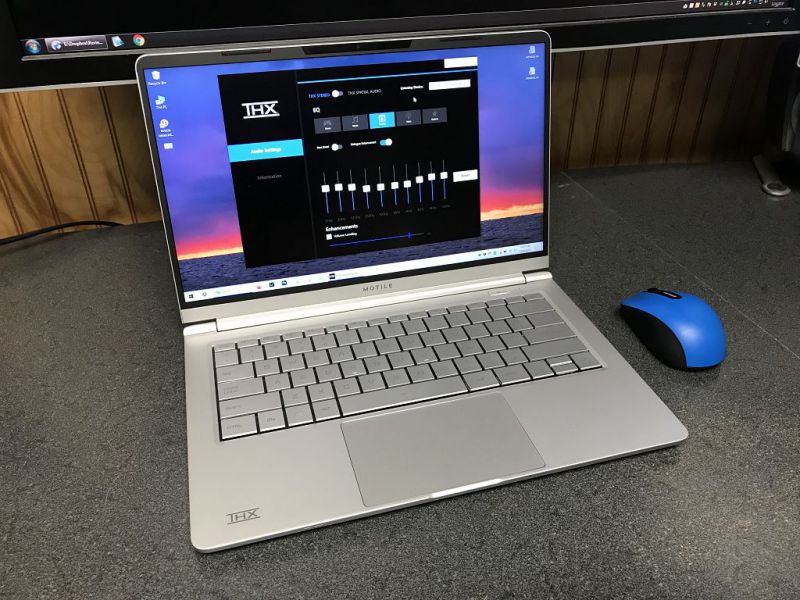
Is this basically a System76[2]-like effort?
[EDIT] - I own an System76 Oryx Pro and love it -- this laptop being a rebranded effort is not a bad thing in my mind, if anything it gives me more faith in the initial build quality. If the KDE org gets it just as right as System76 (open source drivers galore, fantastic system tooling and support), then this is going to be a boon for open source everywhere, more money in KDE's pockets, more linux-first machines out there.
[0]: https://www.walmart.com/ip/MOTILE-14-Performance-Laptop-FHD-...
[1]: https://the-gadgeteer.com/wp-content/uploads/2019/12/Motile-...
I would really like AMD to release CPUs which can compete with intel's core M3, which can be used in SBCs or pocketable netbooks like these[1][2]. I feel there is a need gap in this space for a reputed manufacturer or a trusted enthusiast brand to get in.
Why would you want a pocketable Linux pc? one may ask; I'm tired of this always tracking smartphone cellular-apps cluster-X mess. My phone-call usage lifestyle is anyways on-demand(little to no incoming calls), so why not just use a USB GSM module on a pocket Linux pc when needed.
P.S. I'm aware of upcoming pure Linux smartphones, some with cellular-kill switch, I'm a vocal support of these platforms, but it's not available in my country and as I understand they are not ready for a daily driver.
You could probably run Linux on one of the GPD Win devices. (e.g. https://www.reddit.com/r/gpdwin/comments/glpokv/gpd_win_max_...)
Also, as an aside: rather than using a GSM module with a real SIM card that you'd have to pay monthly for, you could just subscribe to a VoIP service (I use https://voip.ms) and then connect to it with a softphone app to place and receive calls.
I pay $1/mo for a number, and $0.005/min for calling, and that's it. I have softphone apps for my PC, phone, and tablets, that are all connected to its same number, so I can answer calls "directly" through any of them, without one device having to route through another. (Also, as a side-benefit, I've set it up with has voicemail-to-MP3s-in-my-email, like Google Voice does. And configured it so that if people outside my whitelist call, they go directly to voicemail.)
Works especially well when combined with a phone that you set up as a "tablet" with a data-only plan. (This plan costs me $10/mo, in Canada, which is quite a feat if you know the Canadian cellular ISP market.)
Oh, and I've also written a SMS<->Slack bridge bot (https://github.com/tsutsu/smsforwarder), that I run as a Heroku free-tier app wired with webhooks to voip.ms's SMS API. SMSes to my VoIP number pop up in a Slack channel named after the peer's number in a special private Slack team I created; and messages I write into that channel are sent back to the peer number as SMSes. So all the same devices that have the softphone app, have Slack, and so can also interact with my SMSes in a shared manner as well.
Any 4K monitor 26" or greater is the same dpi as FHD at 13"
Various examples here https://www.newegg.com/p/pl?d=4k+monitor
A 24" 4K monitor is only 8% better in fact. I would venture to guess it would be basically indistinguishable to the naked eye.
QHD at 13" is 226 ppi is that really a reasonable minimum?
>without a GSM module how do you connect to the Internet(4G/LTE)
This is also a reason why we need non-cellular mobile Internet[1], like city wide WiFi hotspots.
[1]https://needgap.com/problems/51-non-cellular-network-mobile-...
In short research, I found they are hundreds of them available on Amazon, Aliexpress. However, most of them have mechanical switches[0][1], some of them have conducted switches (like Topre[2]) and it is very rarely to see cheap, typical office-use TKL keyboards made by companies like Microsoft or Logitech but Matias have at least sell one model [3].
It might be handy to read a short guide [4] of keyboard naming by their sizes, whether you will look for new keyboard in future.
[0]: https://www.amazon.com/10-keyless-keyboard/s?k=10+keyless+ke...
[1]: https://www.keyboardco.com/category.asp?path=Mechanical%20Ke...
[2]: https://www.amazon.com/s?k=topre&ref=nb_sb_noss_1
[3]: https://www.keyboardco.com/category.asp?path=Mac/Standard/Te...
[4]: https://www.keyboardco.com/blog/index.php/2017/08/full-size-...
> This is due to the well known engineering limitation that links LCD size to the density of RAM modules that can be supported by a motherboard.
https://news.ycombinator.com/item?id=21445497
I thought this comment 8 months back was correct. I dont know the limitation nor could find something related.
You won't ever have an issue with dry paste, and from what I can tell the CPU/GPU only runs a degree or so hotter than when using premium thermal paste.
Good luck and สู้ๆ นะ!
afaik the last dell with a track point thingy (https://xkcd.com/243/).
gen 6 i7, 32gig ram, 1tb ssd, 14" fhd. dated but capable
fan is mostly idle with linux desktop work but constantly whirling under w10.
should be affordable in used condition...
https://www.notebookcheck.com/fileadmin/Notebooks/News/_nc3/...
If I remember correctly shortcuts to change layout/language are by default Ctrl+Shift and Alt+Shift respectively (correct me if I'm wrong). These are incredibly annoying, especially in some games. Luckily though you can disable them from the settings. Instead there's Win+Space, which is a Godsend and should've always been the only default.
Fun fact: on Windows Polish programmer's keyboard you can use the Tilde key (Shift+Grave) to input Polish characters as well, e.g. press Shift+Grave (it won't put in any symbol at this point), release and then press 's' to input 'ś'. However it makes it problematic to input the tilde symbol itself, so I've modified my layout with the MS Keyboard Layout Creator to get rid of that functionality/flaw (aside from other minor improvements) https://www.microsoft.com/download/details.aspx?id=22339
https://pointieststick.com/2020/07/23/the-superfast-ryzen-po...
click Customize, then choose Ryzen 7, then choose 32GB memory.
https://youtu.be/YpphKzmDiJM?t=420
FWIW Steve Burke did an even more detailed burn down of these pads:
https://www.youtube.com/watch?v=niAQs8dZohE
(LTT was later able to get -20C cooling with Liquid Metal: https://www.youtube.com/watch?v=hdTsra-uLBI )
The Envy 13 is also limited to 16GB of soldered RAM while the Slimbook can be upgraded to 64GB. The 15" version has a huge battery advantage over the Envys.
It's also worth noting that the pricing listed includes a 21% VAT. The pricing is more competitive once you take that into account.
You can also run an additional m.2 ssd in the WWAN slot which works just fine assuming you grab the correct type. It's not the standard m.2 though. It's weird and has 2 notches instead of 1. My understanding is when it comes to this slot only specific drives will work properly. I grabbed an SN520 512gb (2242 size by the way, the standard 2282 is too big and 2232 is too small) off of ebay and I'm booting from it as we speak. https://www.westerndigital.com/products/internal-drives/pc-s...
So when it comes to the standard m.2 slot my understanding is that there are no limitations, but the using the WWAN slot as an ssd slot can lead to issues unless you get the correct one.
Unfortunately I don't have any insight about running freebsd on this machine, so good luck to you there.